Searching for "software for learning English while browsing the internet" often yields three completely different types of results: full-page bilingual translation, word-highlighting dictionary lookup, and learning extensions truly designed for "memorizing words while browsing".
This article only does one thing:Help you select the right model based on your goals.
– Want to learn methods → Read Painless English Learning Method
– Want to learn commuting skills? → See another article, "How to Learn English While Online" (scheduled #7 · How-to only, not repeated in this article)
– I've decided to install the tools → Keep reading
1. First, categorize the tasks: reading through, looking up words, and memorizing vocabulary.
| Category | Typical abilities | Suitable for target | Unsuitable |
|---|---|---|---|
| Full-page bilingual translation | Paragraph comparison, PDF/subtitle | Quickly understand foreign languages | standalone vocabulary memorization plan |
| Word highlighting and word lookup | Select and translate instantly, lightweight | Occasionally look up words | Automated database creation and review |
| Vocabulary highlighting + Vocabulary notebook | Highlight by level, save, (optional) review | Learn English while surfing the Internet | As long as you read it once |
Choosing the wrong product category is the biggest waste: using an immersive reading tool as the main tool for memorizing words, or expecting that lightweight word highlighting will "make me improve" after installation, will make you feel that "the software is useless".
How to compare pure translation tools? See the comparative review already published:A Comparative Review of Instant Web Translation Tools: Google vs LingoWay vs DeepLThe focus of this article is Learning.
2. How are the five representative brands positioned?
Note: Competitor capabilities are based on the publicly available descriptions on their respective official websites/stores (searched as of August 2026); versions may change, please refer to the store page before installation. LingoWay capabilities are based on the product description and feature page.
2.1 LingoWay: Vocabulary Highlighting + Word Selection + Review Loop
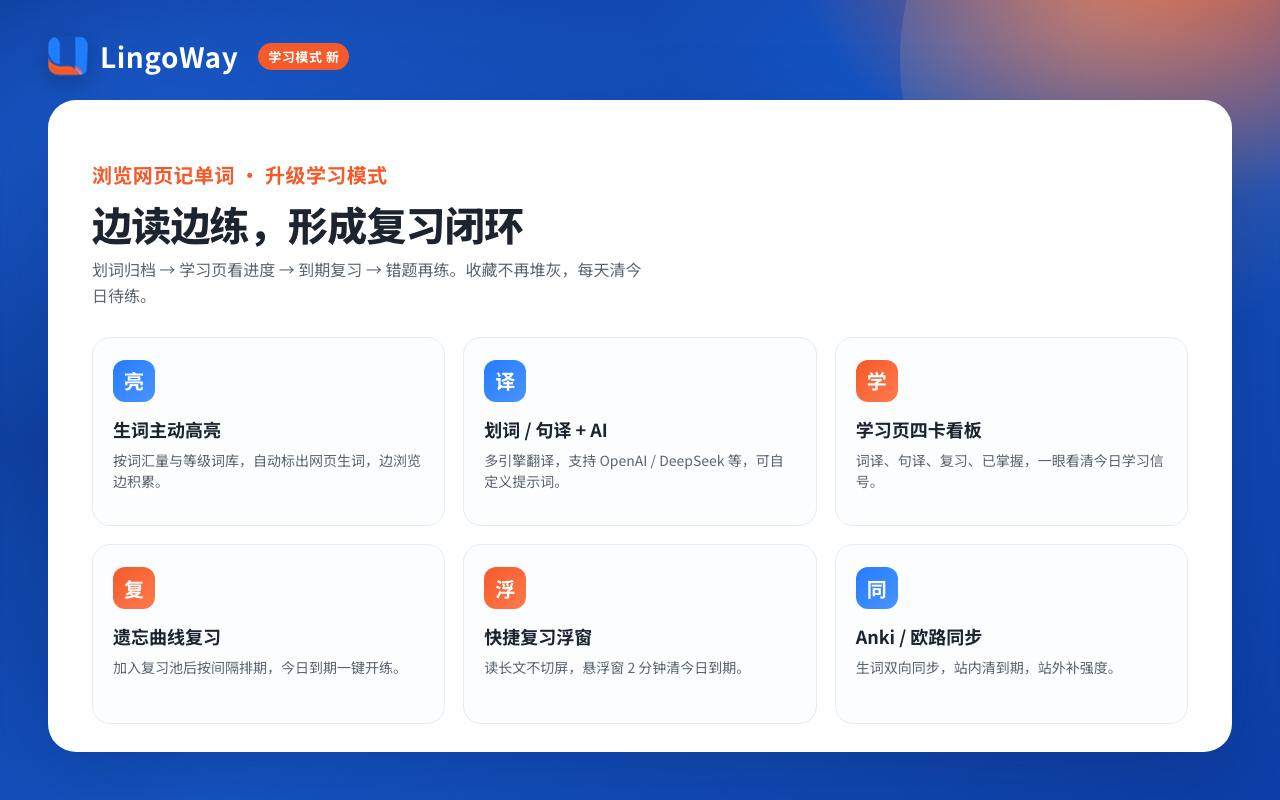
LingoWay For "Learn English While Browsing": Automatically highlights unfamiliar words by difficulty, allows for word lookup and translation, and can be added to a vocabulary list; the learning page and quick review function let you practice tagged words again (see details). Review English while browsing).
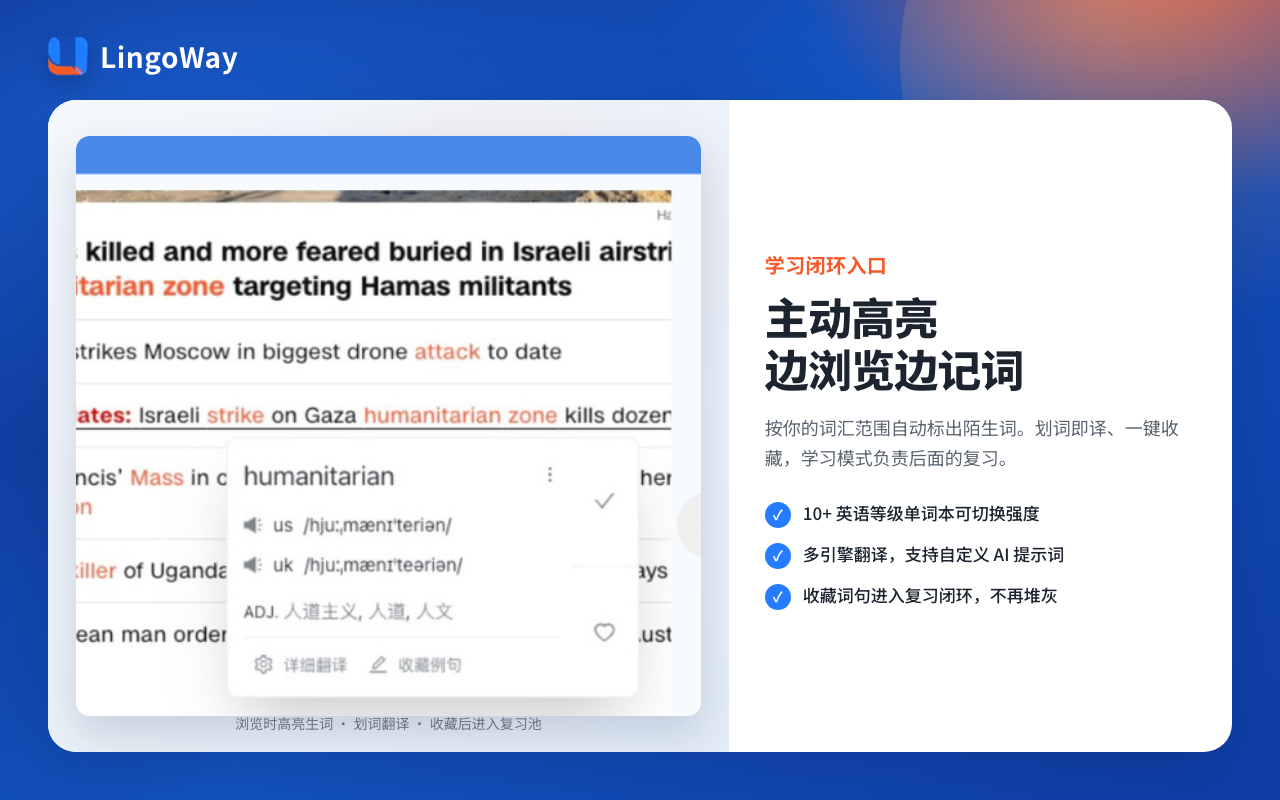
- SuitableFor people who want to learn vocabulary on Twitter/Reddit/document reading platforms and need to review it within the site.
- Not very suitablePeople who only need to translate the entire page at once and don't care about vocabulary lists
- plansBasic plan is free; Annual plan ¥26.9 / Lifetime plan ¥56.9 (see details) /plans/)
2.2 Relingo: A highly relevant domestic competitor in the "learn English by browsing" market
Relingo Both belong to the browser extension category, and the core is to encounter and accumulate vocabulary while reading web pages (internal competitive product analysis is classified as direct competitor).
- SuitableFor those already using Relingo, or specifically looking for "web-based vocabulary learning" products—compare the current version item by item using the dimensions in this table.
- How to compare: Does the highlighting filter follow your level? Can the vocabulary list be exported/synced? Is review done within the browsing context?
- NoticeSpecific pricing and features are subject to the current information on the Relingo official website.
2.3 Immersive Translation: A Head Tool for Reading Foreign Languages
Immersive Translation It excels in bilingual webpage translation, PDF, and video subtitles, and has high visibility in stores and search engines (it was once selected as a Chrome extension of the year in public reports).
- SuitableFor people who want to efficiently read foreign language web pages/papers/subtitles
- Not very suitableTreat it as the only "software for learning English while browsing the internet"—reading through it ≠ completing the vocabulary review loop.
- Combination tacticsUse the immersive reading method for general reading and the learning extension method for vocabulary memorization (they can coexist, but be aware of performance overhead).
2.4 NeonLingo: Word highlighting and database entry + contextual explanation
NeonLingo It emphasizes selecting words on foreign language websites to obtain contextual translations, adding them to a vocabulary list, and highlighting them when they reappear; advanced capabilities include spaced repetition flashcards (according to its official website description).
- SuitablePeople who are accustomed to "looking up words when they encounter them" and who pay attention to the context.
- The difference between LingoWay and LingoWayNeonLingo features word-selective learning; LingoWay offers additional emphasis with automatic highlighting based on difficulty, plus review on study pages/floating windows (based on the current versions of both).
2.5 Word-by-word translation: Lightweight emergency response
The Chrome Web Store offers a large number of "word selection translation" extensions (including lightweight tools that switch between multiple engines). The characteristics of this category are:Fast, lightweight, and requires almost no study ledgers.
- SuitableA person who only looks up a few words a day
- Not very suitableThe goal is to "learn while browsing the internet"—but without archiving and reviewing, the progress curve is very flat.
3. A comparison table (for model selection)
| Dimension | LingoWay | Relingo | Immersive Translation | NeonLingo | Word-by-word translation |
|---|---|---|---|---|---|
| Main task | Memorizing words + reviewing | Learn English by browsing | Reading foreign languages | Word selection and database entry | Emergency word search |
| New words highlighted | Yes (in order of difficulty) | Yes (subject to product availability) | Non-full-page highlighting of main path | Encountering Highlights Again | Normally none |
| Full-page bilingual | Support full-text translation | Depending on the version | Strengths | Depending on the version | Weak/None |
| Vocabulary Book | have | have | Non-core selling points | have | Rare |
| Review closed loop | Learning page / Floating window | Depending on the version | weak | SRS Flashcards (Premium) | weak |
| Typical User | Accumulate knowledge while browsing | Comparison on the same track | Heavy foreign language reading | Word selection learners | Light users |
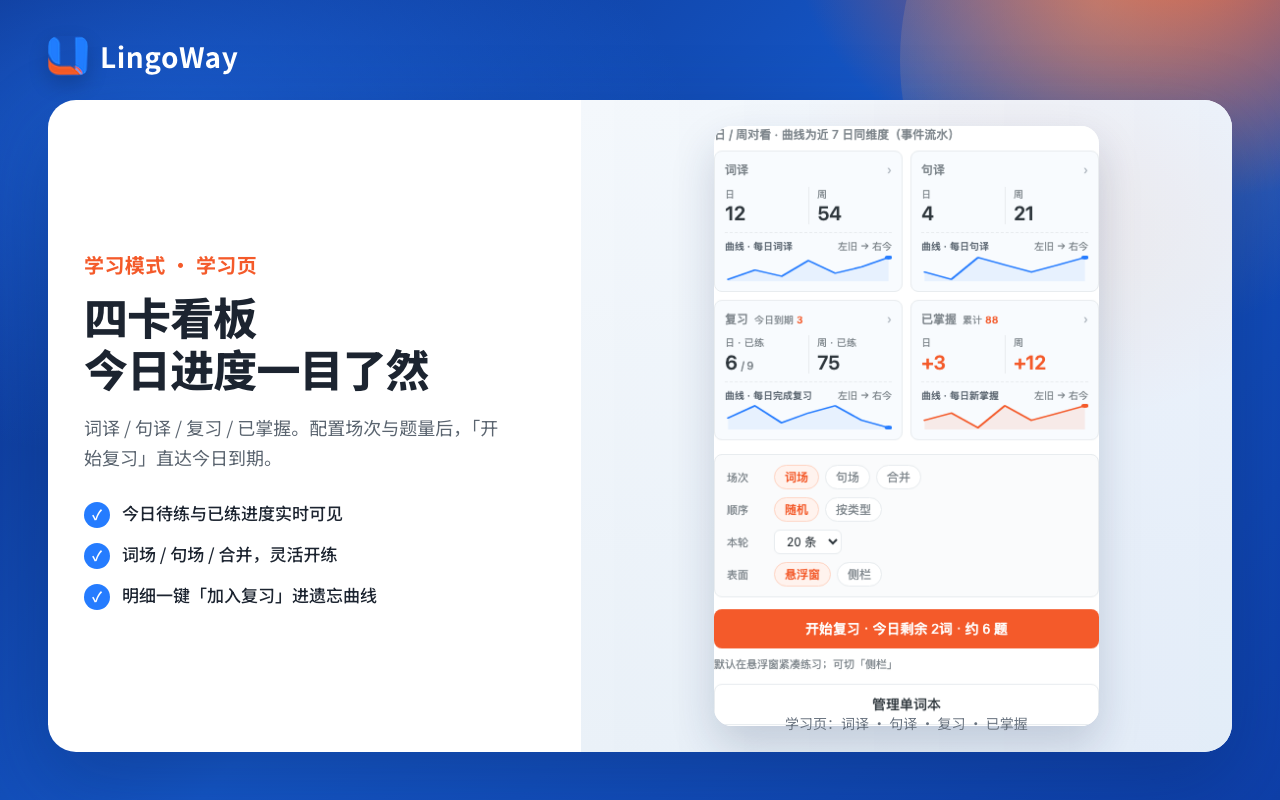
How to read this tableIf your search term is "software for learning English while browsing the internet", prioritize checking if "memorizing words/highlighting new words/vocabulary notebook/review loop" is checked; strong "full-page bilingual" doesn't necessarily mean it's more suitable for your learning needs.
4. Make a decision within 30 seconds based on the scenario.
- I just want to understand this English text as quickly as possible. → Immersive translation (or DeepL/Google, see comparative review)
- I occasionally look up words, but I don't want the hassle. → Word-by-word translation
- I want to increase my vocabulary through daily online activities and I'm willing to review a little bit every week. → Choose one from LingoWay / Relingo / NeonLingo, and try each item using the table in the previous section.
- I've collected a lot of words but can't remember them. → Prioritize tools that facilitate a closed-loop review process; see LingoWay for usage instructions. Review closed loop explanation
- I'm still debating whether or not to start. → Read the instructions first, then come back to select the software:Painless English Learning Method
5. Common Misconceptions
Myth 1: The more you learn, the faster you learn.
Injecting multiple extensions into a webpage simultaneously can slow down browsing. Reading through one and learning one is usually sufficient.
Myth 2: Treating "translation quality" as the sole KPI
When using English learning software, you should ask: Have you absorbed the vocabulary? Have you practiced it again before the deadline? A high translation engine score does not equate to a complete learning loop.
Myth 3: Searching for the same article as "How to learn English while surfing the internet".
"How to..." focuses on steps and habits; "...software" focuses on selection. This site is split into two articles to avoid covering everything in one article and making the two sides poorly organized.
6. FAQ
Are software that lets you learn English while browsing the internet and webpage translation plugins the same thing?
Not entirely. See the product category table above.
Is immersive translation suitable for memorizing vocabulary?
Suitable for general reading; memorizing vocabulary also requires a vocabulary notebook and review. They can be used in combination.
Which should I choose, Relingo or LingoWay?
In the same testing phase: We tested the current version using three metrics: highlighting filters, vocabulary list, and whether review is integrated into the browsing loop. We will provide a separate one-on-one comparison page if needed.Relingo vs LingoWay(Keyword research in the next wave).
Is just installing word-highlighting translation enough?
Sufficient for emergencies; to "learn while doing," at least a vocabulary notebook is necessary, and it's even better to have a review book available at the end of the semester.
Is LingoWay expensive?
Basic features are available for free; Membership is ¥26.9/year or ¥56.9 for lifetime access, see details. Price page.
7. Next Step
After selecting the learning tool:
- Install and set the difficulty level (CEFR / vocabulary level)
- Three days of normal internet access, with the only requirement being that "words are entered into the textbook".
- Starting from day 4, review the due date materials once.
Install LingoWay and start learning while browsing the internet.
 EN
EN  ZH
ZH