Learn English while browsing the web
We believe browsing the web is the best way to learn a language. As words repeat and resurface naturally in your daily reading, LingoWay covers most language-learning scenarios while you browse — so you can remember words just by using the internet.
Browser extensions:
More platforms coming soon


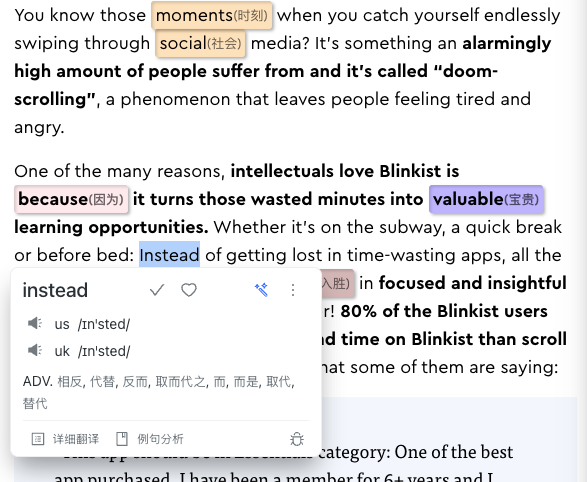
Look up & save
words you want to learn
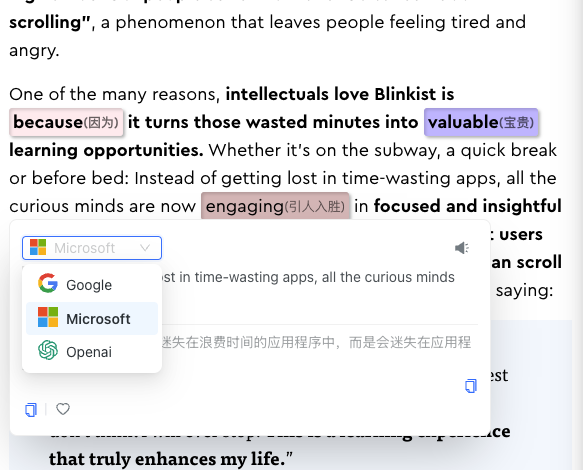
Word lookup
with multiple major translation engines
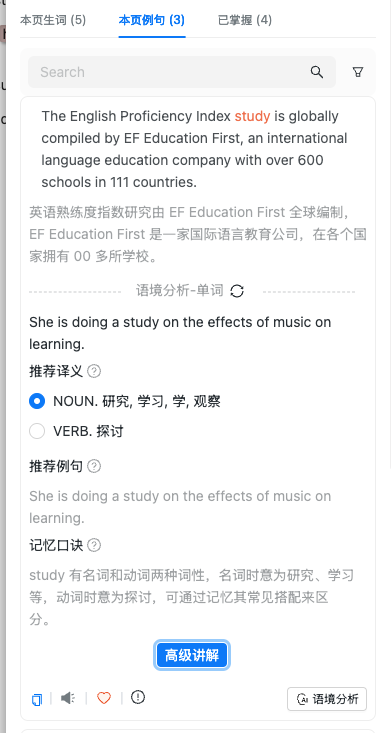
Context analysis
pinpoint what a word means in each sentence
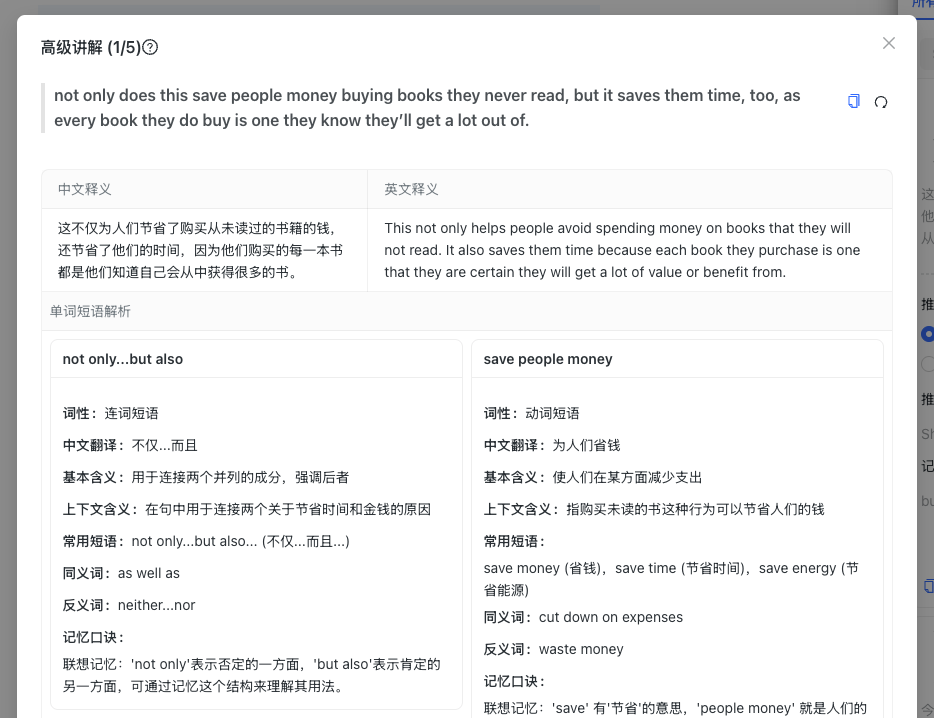
Advanced phrase explanations
AI breaks down sentence structure, phrases,
grammar and cultural context
Discover difficult words
In-browser word lookup: auto-highlight new words without breaking your reading flow
LingoWay auto-highlights and translates words based on the difficulty level you set. While browsing, focus only on the words you don’t know — passive repetition reinforces memory all day long.
- Multiple ways to flag unknown words: background highlight, underline
- AI translation (OpenAI, DeepSeek) with customizable prompts
- 10+ graded vocabulary books built in: CET-4/6, IELTS, TOEFL and more
- Context-aware translation that pinpoints each word’s meaning in the sentence
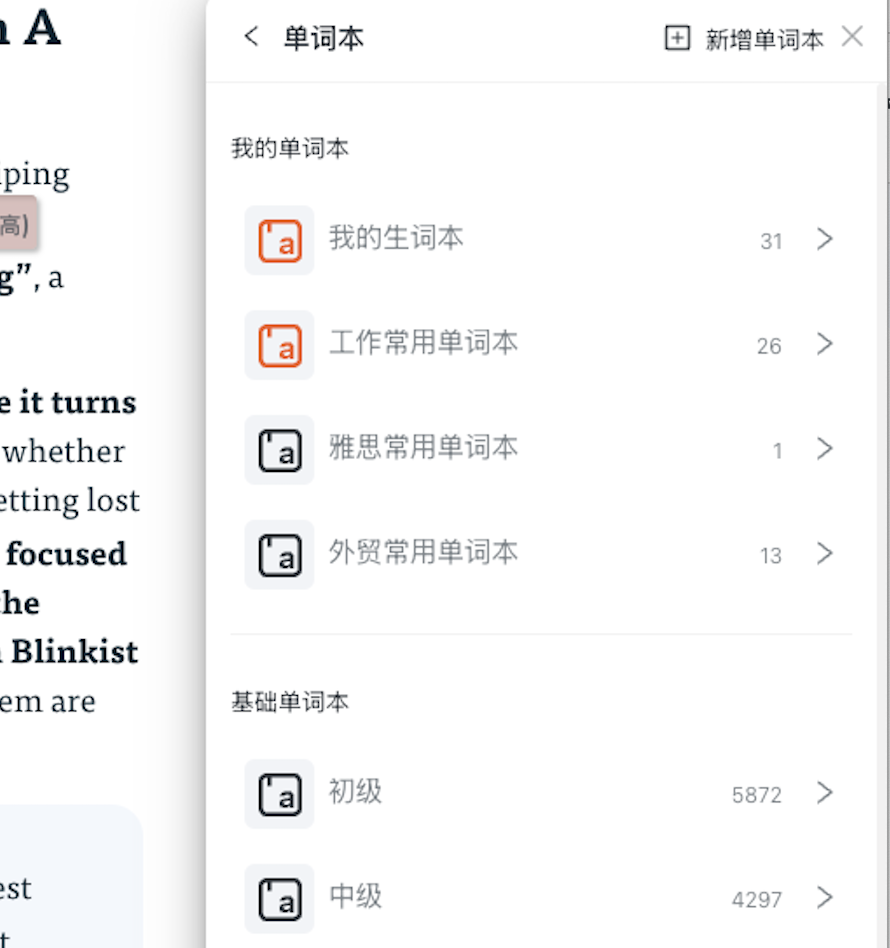
Build your own wordbook
Managing your wordbook + automatic Anki sync
Keep collecting words as you read and add them to your own wordbook. Saved words resurface in later reading, refreshing your memory over and over — growing your vocabulary passively.
View Details- Save any word you want to learn anytime
- Assign different colors to words for quick distinction
- Separate work and daily-learning word ranges
- Quick view of page words and phrases at a glance

Save any word you want to learn,
assign different colors to distinguish them
and reinforce passive memory
Create your own wordbook
and separate work from daily-learning words

Quick view of page words and phrases at a glance
Start practicing CTA
Multiple quiz formats
Quick-review popup quiz
Remember words
Spaced repetition loop: turning words you meet while browsing into long-term memory
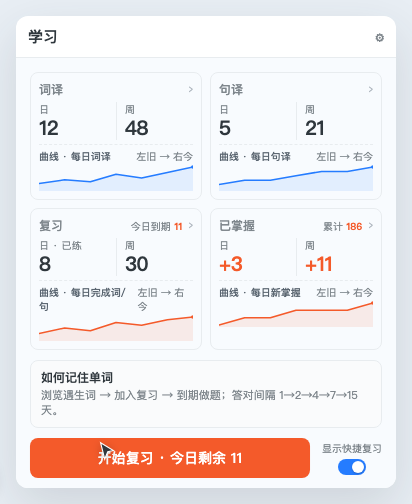
LingoWay collects your look-ups and sentence translations into the learning page with one-click or automatic review. When words are due, quiz yourself along the memory curve — correct answers stretch the interval, wrong ones get retrained the same day. You don’t just "see" new words while browsing; you truly remember them.
- Learning page with four cards: lookups / translations / review / mastered, with daily & weekly trends
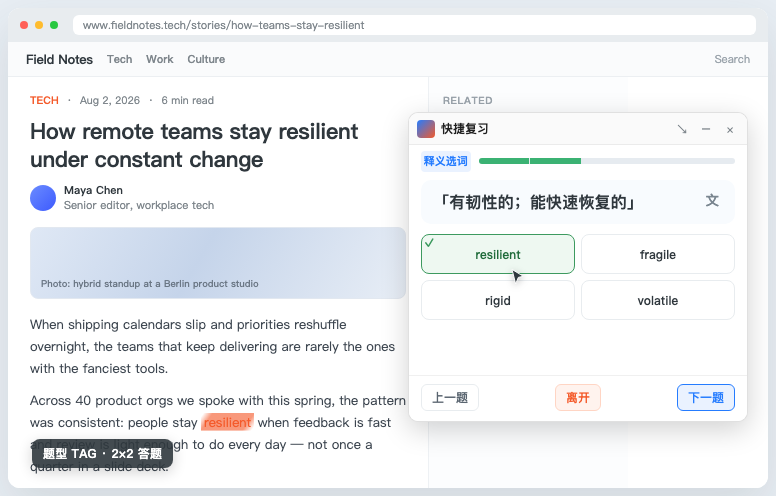
- Resizable quick-review popup — practice a few questions anytime while scrolling
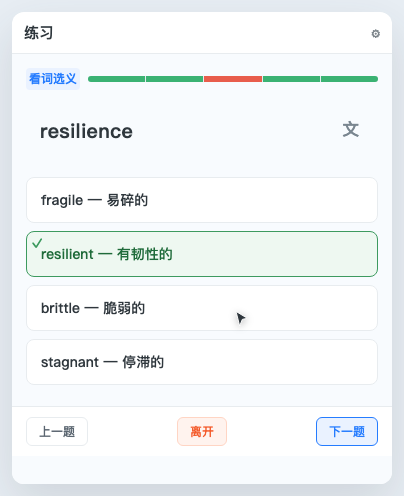
- Multiple quiz formats: choose the definition, fill in the blank, match meaning, and more
- Memory curve of 1→2→4→7→15 days, then moves to "mastered"
Graded vocabulary books
Built-in wordbooks of every type, from CET-4/6 to IELTS and TOEFL — for students and working professionals alike.
Real-time word & sentence translation
Multiple translation engines such as Google, Microsoft, OpenAI and DeepSeek (with custom prompts). Switch engines freely for the most accurate results.
Quickly save words and phrases
Stumble on a word or phrase? Save it to your wordbook instantly for smart reminders and passive reinforcement in future reading.
AI explanations
Generate detailed AI explanations for any saved sentence — including the meaning of every word plus cultural context, so you truly master each phrase.
Seamless third-party sync
Bidirectional sync with popular wordbooks like Anki and Eudic. Import your existing vocabulary easily — keep your library unified without starting over.
Spaced repetition
Send words you meet while browsing to the review queue and quiz yourself on schedule; practice with the quick-review popup while you browse.
Start learning a new way
How to install the Chrome / Edge translation extension
Install the extension to read foreign articles with ease and learn vocabulary progressively through daily reading
Install FreeUse cases: where LingoWay helps you most
Cross-border e-commerce
Reading Amazon / AliExpress product pages
While browsing Amazon, AliExpress and eBay product pages, LingoWay auto-highlights and translates English titles, specs and buyer Q&A. No need to switch translation tools — learn product and logistics vocabulary while researching: study a camera lens and pick up essentials like aperture / ISO / focal length along the way.
Academic English
Reading arXiv / Google Scholar abstracts
You don’t need to "set aside time" for papers or grind through textbooks. While scrolling arXiv, Semantic Scholar and ResearchGate on your commute, LingoWay identifies high-frequency academic words (robust, benchmark, baseline, scalable…) in passive reading — finish one abstract and you’ve casually reviewed a dozen academic terms.
Social media
An immersive English environment on Twitter / X and Reddit
You already spend 30 minutes a day on X, Reddit and HackerNews. LingoWay turns that time into English input: hover over any word in a post for contextual translation, examples and AI explanations — no need to manufacture an English environment; your feed is already authentic language material.
YouTube subtitles
Dual-subtitle reading + hover translation for English videos
Watching English tutorials, interviews or TED talks, LingoWay renders the original text and AI translation as dual subtitles. Hover any word for instant contextual translation and examples. Finish the video and you’ve absorbed the content while casually collecting high-frequency vocabulary — the most natural state of painless English learning.
The English improvement we promise
Measured vocabulary growth in 30 days:In internal user averages, the passive-repetition mode accumulates 800–1500 words in 30 days. Every word comes from real contexts you actually read — not from cramming a wordbook — so retention far exceeds short-term sprinting.
Zero extra time:1 hour of commuting = 1 hour of English learning; 1 hour on Twitter / Reddit = 1 hour of reading English posts. You never need to squeeze in time for memorization — just spend the time you already spend, and improve your English along the way.
30-second install, free tier included:Install directly on Chrome 88+ / Edge 88+, no registration required for the free tier. Upgrade to yearly membership ($26.9) or lifetime ($56.9) to unlock AI contextual lookup, Anki sync, webpage-to-audio and all other features.